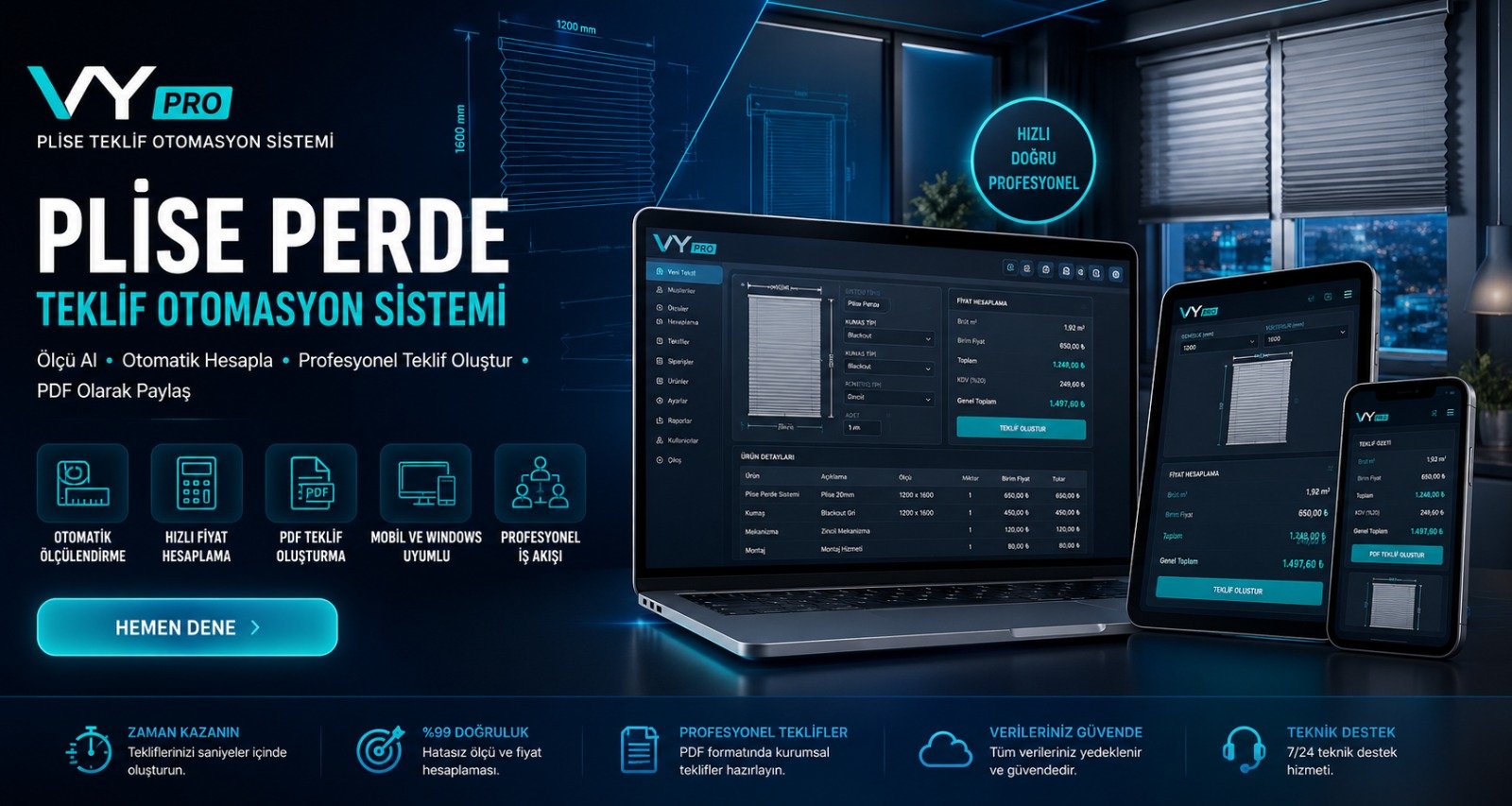
VySoftware Pleating Proposal Automation System (VyPro)
1.0.0
Ofis Yazılımları
36.34 MB
Specifically designed for pleated blind systems, this is a professional business automation system that calculates dynamic consumption based on measurements, flexibly manages profit and discount rates, and generates visual PDF quotes with your corporate l
Detailed Description
VyPro Pleated Quotation and Cost Automation
It is a high-performance desktop software that fully automates the complex cost calculation and quotation processes of businesses with a zero-error principle.
Technical Infrastructure and Highlights
- Ergonomic Interface (UI/UX): Special "Gray Tone Light Mode" design and tab-based fluid architecture that is compliant with corporate standards and does not strain the eyes during long working hours.
- Local Database and Security: Works with
automation_data.json; Lightweight, fast, and offline standalone architecture that securely indexes images in the system'sAppData/Localdirectory. - Advanced PDF Output Engine: Thanks to FPDF integration, it converts product photos, company logo, customer and measurement details into an aesthetically pleasing PDF letterhead in milliseconds.
- Multiple Language Support: Dynamic dictionary infrastructure that provides instant language switching from within the application for both local (TR) and international (EN) operations.
Key Features
- Advanced Formula Engine: Fully automatic consumption calculation based on linear meters and square meters (fabric, profile, accessories, etc.) using width (W) and height (H) data entered in millimeters.
- Profit and Discount Management: Practical profit addition or discount application panel based on net amounts, either in currency (€) or percentage (%).
- PDF Quotation and Customer Archive: Create PDFs specific to the customer's name and date stamp; open the folder from within the application, preview, and permanently delete old files.
- Visually Supported Product Management: Add products, update prices, and assign custom photos to each product using stock code, technical description, unit price, and "set/m/m2" definitions.
- Dynamic Data Grid (Treeview): Detailed shopping cart table listing the gross amount, calculated consumption rate, total quantity, and line-by-line profit-cost ratio of added system products on a single screen.
- Corporate Profile Integration: Personalize outputs by changing the company logo (exported to PDF with proportional accuracy), company name, and contact information via the settings module.
- Keyboard Shortcuts and Quick Access: Support for Enter shortcut for batch calculations and Ctrl+P shortcut for instant export of PDF documents.
Installation & Usage
1. Installation ProcessStep 1: Run the setup file to launch the installation wizard. Step 2: Follow the prompts by clicking "Next" to complete the installation on your computer. Step 3: An Activation Screen will appear the first time you run the program. Step 4: To access the demo version or activate your system, please contact us at veyselyilmaz524@gmail.com to request your license. 2. Quick Usage GuideCalculating: Go to the "Proposal & Cost" tab, enter the width, height, and quantity of your items. Click the Calculate button, and the system will instantly display the costs and proposal details. PDF Export: To formalize your proposal, simply use the Export PDF (Ctrl+P) shortcut; your document will be automatically archived in the "pdf" folder on your desktop. Corporate Identity: Use the "System Settings" tab to save your company details and logo, ensuring your brand is displayed on all proposals you generate.
Download Now
Secure File • Downloaded 8 times so far.